Showing posts with label Apps Goodies. Show all posts

Monday, November 26, 2012

Apps Goodies 2: Pin your your interest on Pinterest!

I wonder if you have a small pinboard hanging on your office cubicle wall for you to pin the calendar, post it notes, photos and of course the-ever-common motivational quotes such as "Never give up!", "The key to success is hardwork" to psych yourself up at work.


However you need not pin those boring stuffs on your board all the time. Imagine if you have alot of interesting stuffs to look at the board everyday and what's even better is that you can pin it on a virtual board so that you can bring it everywhere and share it with anyone. This is what Pinterest all about. 

I was introduced to this app by my good friend ky quite sometimes back, as she found some crazy food ideas and recipe on other's pinterest board which is interesting for girls hangout activities. The variety of ideas on the website really caught my attentions and I'm hooked on it ever since. So, its basically an apps which allows you to pin yours and other beautiful things you find on the web (images, videos, post etc.) onto your virtual pinboard. Its easy to view, organize, search as well as to share with others. Notice the small red pin-it button along with the facebook, twitter buttons at the end of each post in my blog. If you have a Pinterest account and like my post, you can pin it to your pinterest board so that others who follow's you can see my post as well. 

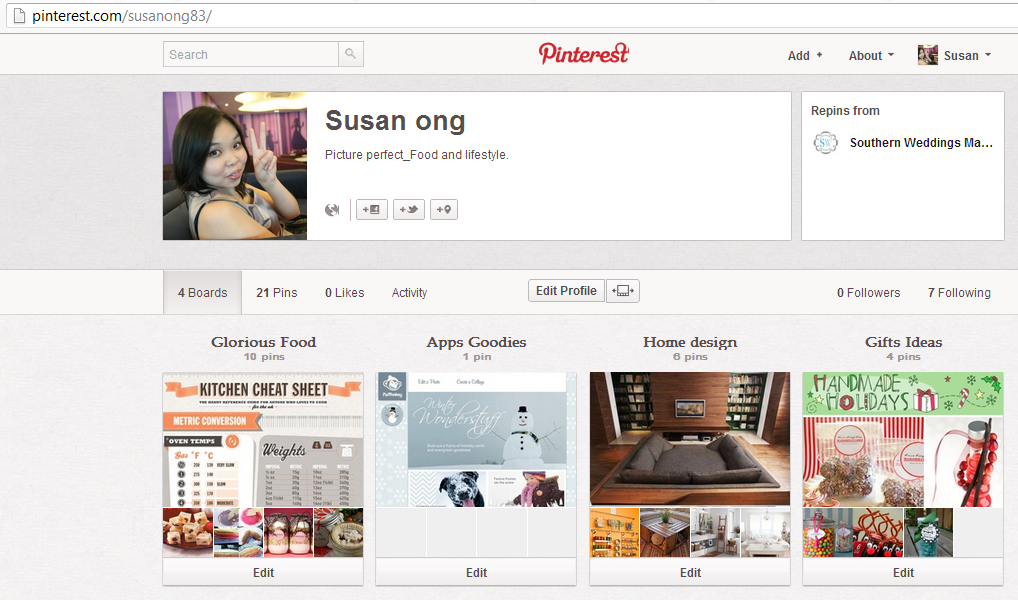
You can also create boards of specific theme. Currently I have 4 boards - Glorious food, Apps Goodies, Home design and Gift ideas. So whenever I've written a post for my baking addiction or apps goodies series, I will pin it on my Pinterest board to share with others. The first time my recipe got a repins from a complete stranger, I was over the moon. And that motivate me to write more! 

One of the great benefits of Pinterest as I mentioned before is that you can find so much of ideas from other's pinterest board. I've tried out many recipes pinned from others as well as planning to work on some diy craft ideas as well.

For example this rustic diy living room table made from the crates, how beautiful it is. I saw some similar one from Ben's cafe, so now I just need to get hold of some crates, anyone can tell me where to get some crates in KL?
Image from http://www.etsy.com/listing/105156860/rustic-crate-coffee-table-reserved?ref=sr_gallery_20&ga_search_query=crate&ga_view_type=gallery&ga_ship_to=ZZ&ga_min=0&ga_max=0&ga_search_type=all

And this beautiful pebbles mat, according to the creator, you just need pebbles, glue gun and shelf liner!

Imaged from http://entirelysmitten.typepad.com/entirelysmitten/2011/03/fun-with-river-rocks-tutorial-and-bonus-ideas.html

If I get to know Pinterest earlier, I would have done this for my wedding

1) cactus for wedding favor


or 2) wedding invitation postcard
image from http://www.etsy.com/listing/93818178/save-the-date-magnet-or-card utm_campaign=Share&utm_medium=PageTools&utm_source=Pinterest

or 3) cute little candy pot for guests to munch while waiting

Anyway, what are you waiting for, start pin it today and don't forget to pin my post if you like it!

Wednesday, November 21, 2012

Apps Goodies 1: Picture perfect with PicMonkey

I'm starting another series of posts apart from my "Baking Addiction" series, its called the "Apps Goodies" series. In the course of my years of blogging, I've come across many useful website/ apps which do wonders. These apps basically do stuff which is beyond our intellectual capabilities and it simply enhances our entire online experience. I will share some apps which are interesting, it may not necessary popular/ widely used but it must be FREE, so that it can be beneficial to many.  

The first Apps Goodie i'm gonna share here is a photo editing app. I was looking through some of the last pictures of Miko, as I wanted to choose some to sent for printing and framing. However most of the pictures turn out to be quite dull and boring, mainly due to the lighting and of course amateurish photography skill. ;)

Usually I will use an application called Photoscape for photo editing. It is a very light, user friendly application and most importantly its free! However, it lacks some of the futuristic filter algorithm (like Instagram) which can enhance the photos with a single clicks of  button. In another word, I'm too lazy to go through step by step editing to improve the color, brightness, add special effects etc. With that being said, usually I don't edit photos that much, at most I'll just adjust the brightness. And I'm kinda against those sepia or retro binge who instagram every photos before they publish to the facebook. I mean its fine to edit a few photos just to show a different kind of feeling or perspective, but EVERY photos, come on... 

Anyway, being the usual me, I detest using the main stream photo editing application i.e. Instagram. In fact Chrome webstore has a very good app which literally does everything for you. Its called PicMonkey. The thing I like about the application is that you don't have to register or install the application in order to use. On the main page of the website, just choose to edit a photo or create a collage, and you can start to use right away! It allows you to save all the edited photos and export to social network website and even Pinterest.

I love the pastel color and seasonal design of the website, its looks very different from the usual black sleeky techno themed website of the similar kind.


The most useful features of this apps is the basic edit and effect tab. Like I mentioned before its really a dummies for photoshop app, whereby with a single click, you can enhance your photos to create different kind of effect with various filters such as Dusk, Urbane, Cross process etc. 

For example, this is a original photo of miko and me. It was taken without much lighting and it lacks character. 

And these are the photos after applying different filters (the filter used are stated in the photos), see how different the before and after is. Personally I like the Time Machine filter the best, the colors goes very well the flourish curtain at the background 

This is another favorite of mine, which is added with old photograph frame and caption

I think I'll use this photo, love the Cinematic effect! 

Not a big fan of I-am-an-elite-facebooker-because-I-instagram? fret not, you can always try out PicMonkey!